
AIMP
-
4.4
- 無料 価格
- 音楽&オーディオ カテゴリ
- Artem Izmaylov 開発者
-
名前AIMP
-
価格無料
-
カテゴリ音楽&オーディオ
-
評価4.4
-
開発者Artem Izmaylov
ATTENTION!
1. App may works unstable on Xiaomi devices based on MIUI firmware.
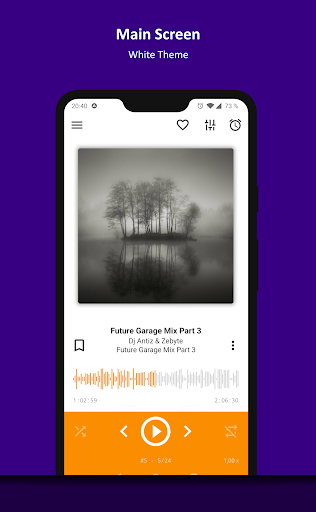
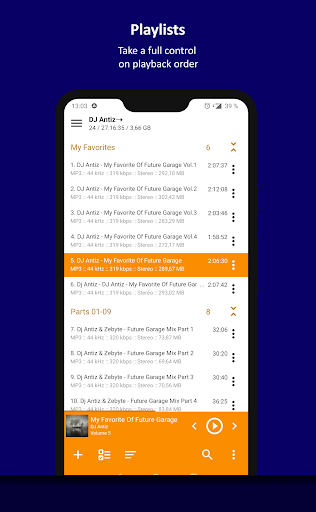
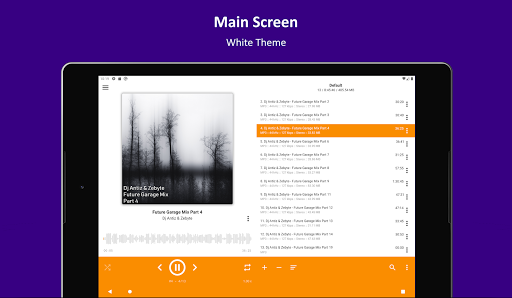
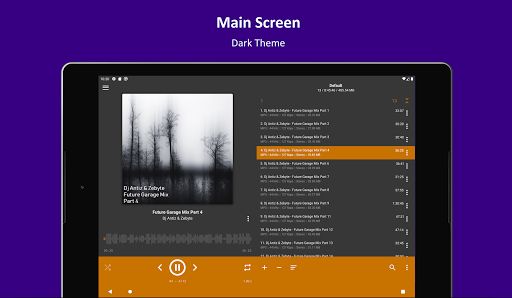
2. App does not have built-in music library and uses old school playlist-based approach to music playback
ABOUT PERMISSIONS
An access to phone is required to pause / resume playback after call if actions on audio focus change are disabled
Please, report about all bugs into our forum: http://www.aimp.ru/forum/index.php?board=141.0 or write mail to support.
+ Supported formats: *.ape; *.mpga; *.mp3; *.wav; *.ogg; *.umx; *.mod; *.mo3; *.it; *.s3m; *.mtm; *.xm; *.aac; *.flac; *.mp4; *.m4a; *.m4b; *.mpc; *.wv; *.opus; *.dsf; *.dff; *.tta
+ Support for Android Auto
+ OpenSL / AudioTrack / AAudio based output methods
+ CUE Sheet support
+ Playback speed control
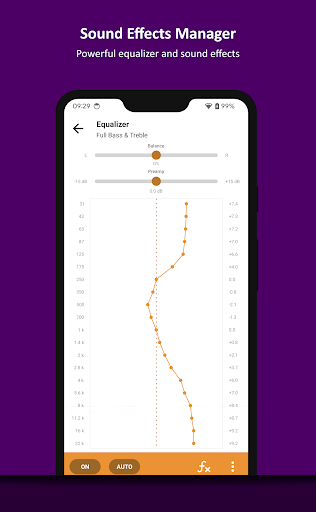
+ Balance control
+ 29-band graphic equalizer
+ Volume normalization via replay gain or peak-based
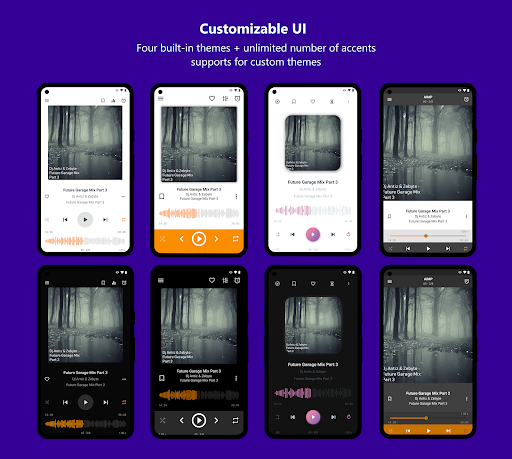
+ Themes: built-in light, dark and black themes
+ Themes: custom themes support
+ Themes: an ability to change theme hue
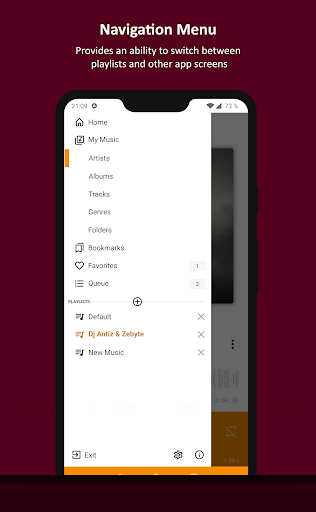
+ Bookmarks
+ User defined playback queue
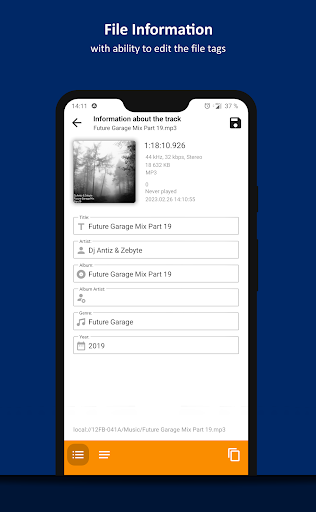
+ Automatic detection of tags encoding
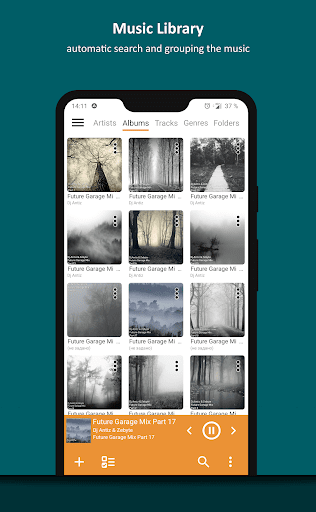
+ Album Arts support (from tags / from file folder / from the Internet)
+ Multiple playlists
+ Smart-playlists based on folders
+ Internet radio
+ Lyrics support
+ HTTP Live Streaming
+ An ability to cross-fade tracks
+ An ability to down mix multi-channels audio files to stereo
+ An ability to down mix audio files to mono (optional)
+ An ability to register playing track as ringtone from player
+ An ability to repeat playlist / track / playback without repeating
+ An ability to play music from File Managers
+ An ability to control playback from notification area
+ An ability to control playback via Headset
+ An ability to switch the tracks via volume buttons (optional)
+ An ability to share audio files
+ An ability to group files by template
+ An ability to sort files by template / manually
+ An ability to search files in filtering mode
+ An ability to delete files physically
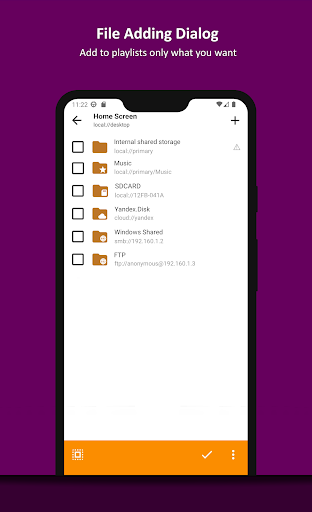
+ An ability to load files from selected folder
+ An ability to quick add all music from all SD-cards
+ An ability to play files from the File Manager applications
+ Integration with standard lock screen (for Android v4.0 and newer)
+ Widget for the desktop (4x1, 4x2 and 4x4 with resize ability)
+ Widget for the lock screen (for Android v4.2 and newer)


この質問は一番聞かれる質問です。そして、公式のGoogle Playストア以外からアプリをダウンロードする場合、この手続きはもっと複雑になるかもしれません。そのために、私たちは本サイトからダウンロードしたアプリのインストール方法について詳しくまとめました。このチュートリアルには詳細な操作方法はもちろん、役立つ写真も付きます。使い方は簡単で詳細なので、初心者でもすぐ操作できます。
本サイトからダウンロードされたアプリの安全性について心配するお方はたくさんいます。そして、私たちは本サイトからダウンロードされたアプリの安全性を保証できます。本サイトから提供するすべてのアプリはあなたのスマホのハードウェアやプライバシーに害を及ぼす可能性が一切ありません。ぜひ安心してください。
もちろんです。本サイトから提供するすべてのアプリは、100%無料でダウンロードできます。さらに、わざわざアカウントを作成する必要はありません。ダウンロードボタンをクリックするだけで完了です。
最近、さまざまな理由でログインできませんというメールをたくさん届きました。このような質問を答える前に、どのアカウントを参照しているかを知る必要があります。例えば、FacebookアカウントやYoutubeアカウントなど、アプリのアカウントについて話している場合、実にお手伝いことはできません。対応のカスタマーサービスに助けを求めるほうがおすすめです。
この質問は基本的に前の質問と非常に似ています。サードパーティアプリのサブスクリプションをキャンセルする場合は、カスタマーサービスにお問い合わせください。
この質問もサードパーティアプリのサブスクリプションをキャンセルする場合は、カスタマーサービスにお問い合わせください。私たちに助けを求めても、彼らに連絡する方法を提供する以外の方法もありません。 本サイトから退金を希望する場合には、我々のサービスが100%無料であることを再度指摘する必要があります。


