
Smart Scan
-
4.8
- 無料 価格
- ツール カテゴリ
- HappyLife Studios 開発者
-
名前Smart Scan
-
価格無料
-
カテゴリツール
-
バージョン1.11.4
-
評価4.8
-
開発者HappyLife Studios
Smart Scan Highlights:
Scan ? Docs to PDF or JPG
?OCR feature for searching, editing, and exporting?
Scan in color?, grayscale, or black & white
Multi-pages scanning
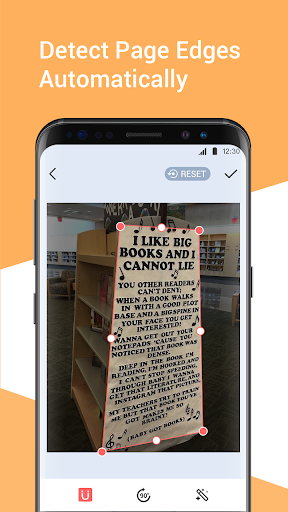
Auto-detect page edges
✂Crop and edit Docs to PDFs?
Create folders to organize docs?
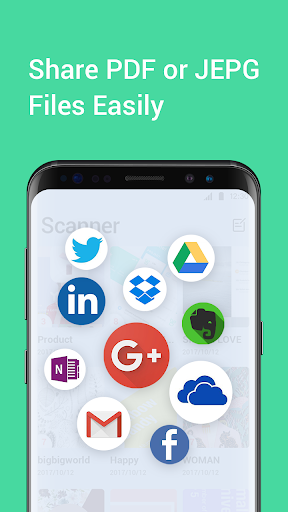
Share PDFs with friends or social media
Smart Scan can scan, store, sync and collaborate on various contents across smartphone.
Now, add one more feature which about OCR, covert an image or document to text. Text scanner for your life!
A tiny PDF scanner app that you can scan documents, photos, receipts, reports, or others.
Scan these documents, save to your device as images or PDFs. Name and organize your scans into folders, or share to your Boss, colleague or friend.
Support share system, share docs via email, dropbox, evernote, Google Drive, OneDrive, OneNote and more.
Photo to pdf/Jpg. OCR
OCR (Optical Character Recognition), extract recognize texts from your scanning docs. Searching, editing and sharing the files to other platform or business partner.
Simple, accurate, extremely fast scan docs
Use the camera to scan the documents, such as, papers, receipts, notes, invoices, contracts, reports, photos, and more.
Perfect HD PDF docs
Support high resolution and pixel to take HD docs. Automatically recognize and scan docs that unclear. Get more bright and clear docs, make the contents more readable.
Smart manager files and folders
Customize documents’ name, create folders to organize your files.
Flexible editing and multiple filter options
Professional operation: Reorder documents’ format, crop, rotate and adjust color with PDF docs.
More filter options: color, clear, grayscale, sharpening, black and white.
Thumbnail or list view, sort scans by folders
Smart manager files folders, easy to operate with high work efficiency.
Cut paper clutter. Automatically remove the page edges
Crop, edit, modify and share scan docs, ensure these scanned documents are clear and high quality.
Send and Share PDF or JEPG Files
Easy to share your docs in PDFs or JEPG format to your boss, colleague or friends. Multiple share channels can be choose: email, Facebook, Twitter, Dropbox, LinkedIn and other social media.



この質問は一番聞かれる質問です。そして、公式のGoogle Playストア以外からアプリをダウンロードする場合、この手続きはもっと複雑になるかもしれません。そのために、私たちは本サイトからダウンロードしたアプリのインストール方法について詳しくまとめました。このチュートリアルには詳細な操作方法はもちろん、役立つ写真も付きます。使い方は簡単で詳細なので、初心者でもすぐ操作できます。
本サイトからダウンロードされたアプリの安全性について心配するお方はたくさんいます。そして、私たちは本サイトからダウンロードされたアプリの安全性を保証できます。本サイトから提供するすべてのアプリはあなたのスマホのハードウェアやプライバシーに害を及ぼす可能性が一切ありません。ぜひ安心してください。
もちろんです。本サイトから提供するすべてのアプリは、100%無料でダウンロードできます。さらに、わざわざアカウントを作成する必要はありません。ダウンロードボタンをクリックするだけで完了です。
最近、さまざまな理由でログインできませんというメールをたくさん届きました。このような質問を答える前に、どのアカウントを参照しているかを知る必要があります。例えば、FacebookアカウントやYoutubeアカウントなど、アプリのアカウントについて話している場合、実にお手伝いことはできません。対応のカスタマーサービスに助けを求めるほうがおすすめです。
この質問は基本的に前の質問と非常に似ています。サードパーティアプリのサブスクリプションをキャンセルする場合は、カスタマーサービスにお問い合わせください。
この質問もサードパーティアプリのサブスクリプションをキャンセルする場合は、カスタマーサービスにお問い合わせください。私たちに助けを求めても、彼らに連絡する方法を提供する以外の方法もありません。 本サイトから退金を希望する場合には、我々のサービスが100%無料であることを再度指摘する必要があります。


