
SuperBeam
-
4.6
- 無料 価格
- 通信 カテゴリ
- LiveQoS 開発者
-
名前SuperBeam
-
価格無料
-
カテゴリ通信
-
評価4.6
-
開発者LiveQoS
VERSION 4 PROMOTIONS:
★ Sale 25% off SuperBeam PRO
★ Free 14 days PRO trial (find it in the navigation drawer menu!)
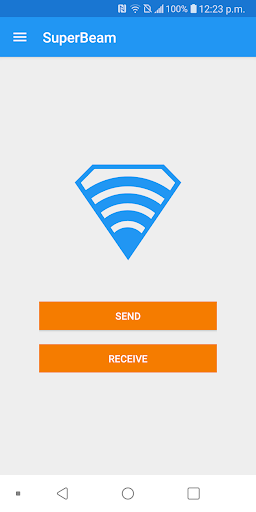
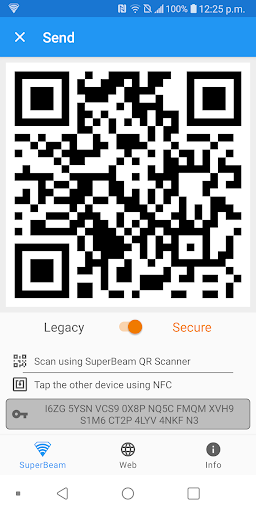
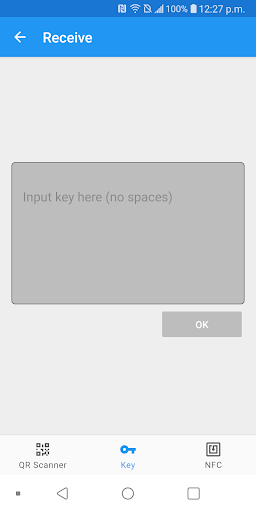
SuperBeam 4.0 is the easiest and fastest way to share large files between your devices using WiFi direct. Devices can be paired using QR codes (with the included QR code scanner) , NFC or manual sharing key (PRO).
No more clicks and manual approvals for connections. SuperBeam makes file sharing as convenient and fast as it should have been, because it is 2015 already!
Features:
• Blazing fast transfer speeds using WiFi direct.
• Pair devices using NFC or QR code scanning.
• Sharing with devices that do not have SuperBeam through web interface.
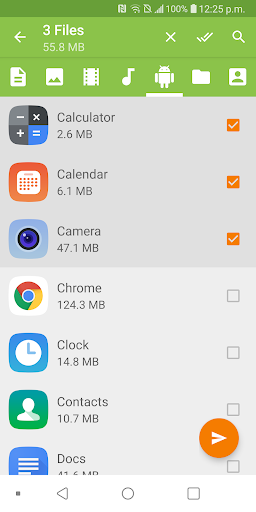
• Share single or multiple files of any type (photos, videos, zip files, APK's, contacts... You name it!).
• Keep history of all transfer operations.
• Modern Material Design user interface, with simplified send/receive screens (which can be merged under user interface settings).
• Light, dark and AMOLED color themes.
All received files are stored under "/sdcard/SuperBeam" directory by default, this can be changed in settings (PRO). Don't worry about duplicate files, SuperBeam will automatically add unique numbers to duplicate file names.
SuperBeam Switches to hotspot mode automatically for devices that don't support WiFi direct. Also, it can use existing WiFi network connection between devices in case WiFi direct fails.
Get more, upgrade to PRO
Upgrade to SuperBeam PRO and get much more awesome features:
• No more ads.
• Super easy sharing with your computer using SuperBeam app for PC (compatible with Windows, Linux and Mac)
• Change default save location to any available storage.
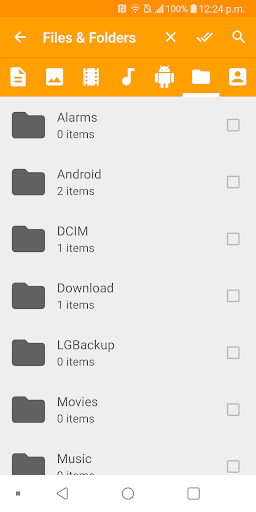
• Send entire folders and preserve their structure.
• Receive using manual sharing keys.
• Send to more than one device at the same time.
• Share unlimited number of files on web interface, with the ability to download complete structured zip.
• Unlimited history records.
• And much more!
PRO Version Link
https://play.google.com/store/apps/details?id=com.majedev.superbeampro
What others are saying
★ "A great file transfer tool for power users" - Android Central
★ "Full-featured and well-written app" - CNET Asia
★ "This app is simple to use, convenient, and most importantly it works!" - XDA Developers
★ "A simple concept: share files of any size via NFC verification" - AndroidPolice.com
★ "A Dream!" - mobiFlip.de
★ "Tap and share files for real!" - YourTechReport.com
★ "Makes sharing files between devices quicker and easier" - NFCWorld.com
★ "The transfer happens lightning fast" - Tested.com
★ One of "10 new Android apps worth checking" - AndroidAndMe.com
Support:
Twitter: @SuperBeamApp
Email: [email protected]
XDA support thread: http://forum.xda-developers.com/showthread.php?t=2177133
About permissions:
• To manage WiFi Direct connection: ACCESS_NETWORK_STATE, CHANGE_NETWORK_STATE, ACCESS_WIFI_STATE & CHANGE_WIFI_STATE.
• To receive using QR scanner or Near Field Communication: CAMERA & NFC.
This app uses zxing library for QR code encoding and decoding (https://code.google.com/p/zxing/)


この質問は一番聞かれる質問です。そして、公式のGoogle Playストア以外からアプリをダウンロードする場合、この手続きはもっと複雑になるかもしれません。そのために、私たちは本サイトからダウンロードしたアプリのインストール方法について詳しくまとめました。このチュートリアルには詳細な操作方法はもちろん、役立つ写真も付きます。使い方は簡単で詳細なので、初心者でもすぐ操作できます。
本サイトからダウンロードされたアプリの安全性について心配するお方はたくさんいます。そして、私たちは本サイトからダウンロードされたアプリの安全性を保証できます。本サイトから提供するすべてのアプリはあなたのスマホのハードウェアやプライバシーに害を及ぼす可能性が一切ありません。ぜひ安心してください。
もちろんです。本サイトから提供するすべてのアプリは、100%無料でダウンロードできます。さらに、わざわざアカウントを作成する必要はありません。ダウンロードボタンをクリックするだけで完了です。
最近、さまざまな理由でログインできませんというメールをたくさん届きました。このような質問を答える前に、どのアカウントを参照しているかを知る必要があります。例えば、FacebookアカウントやYoutubeアカウントなど、アプリのアカウントについて話している場合、実にお手伝いことはできません。対応のカスタマーサービスに助けを求めるほうがおすすめです。
この質問は基本的に前の質問と非常に似ています。サードパーティアプリのサブスクリプションをキャンセルする場合は、カスタマーサービスにお問い合わせください。
この質問もサードパーティアプリのサブスクリプションをキャンセルする場合は、カスタマーサービスにお問い合わせください。私たちに助けを求めても、彼らに連絡する方法を提供する以外の方法もありません。 本サイトから退金を希望する場合には、我々のサービスが100%無料であることを再度指摘する必要があります。


