
写真のムービーをロック(Gallery Lock)
-
4.6
- 無料 価格
- ツール カテゴリ
- Morrison Software 開発者
-
名前写真のムービーをロック(Gallery Lock)
-
価格無料
-
カテゴリツール
-
評価4.6
-
開発者Morrison Software
★ Selected as the App of the Year by Times Magazine! ★
Hide pictures and videos!.
"Gallery Lock" hide pictures and videos and it is an app that is absolutely needed for protection of personal privacy. The product is one of the most popular apps in the world and is one of the top 10 apps sold on Google Play.
Like us ? Hit the +1 button.
Features
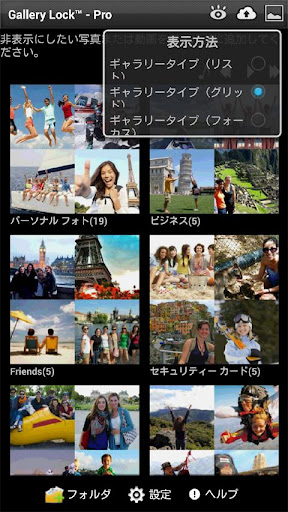
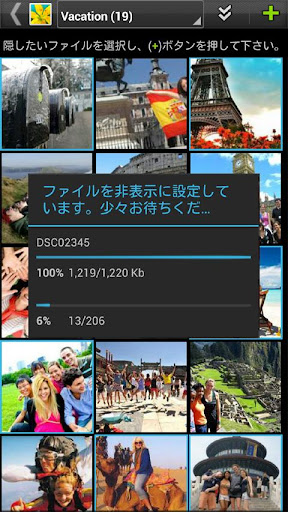
• Hide Photos & Videos
• Stealth Mode supported : this feature hides a launch icon.
• Watchdog : After 3rd failed password attempt, built-in camera takes photo of attacker.
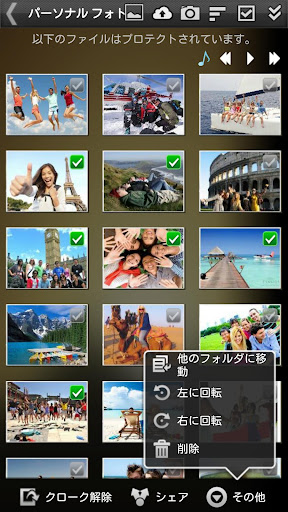
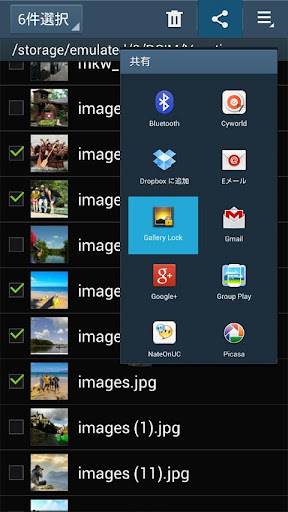
• Share pictures from Gallery Lock to any applications.
• Cloud Backup supported to Google Drive, Dropbox, Box
• Folders supported.
• Beautiful designs
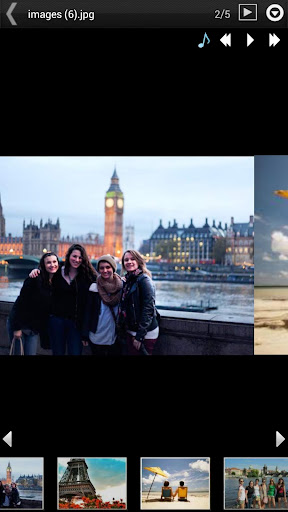
• Rotate and zoom features
• Slide Show supported.
• Mp3 background music playing supported while slide show.
• A variety of viewing mode.
• Multi-select feature for fast hiding, un-hiding, sharing
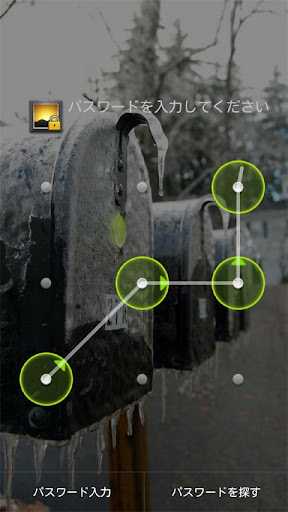
• Easy-to-use PIN,Pattern access
# FREE version (version w/ ads)
# (Important!) Before uninstall the Lite version, undo the hide function of the photos and the videos. If you uninstall the program without undoing the hide function or Factory reset of device, the photos and videos will be lost.
# It is recommended that you purchase the app after checking to see if the free assessment Lite version runs properly.
Permissions
- Call permission : for Stealth Mode feature.
- Take Picture permission : for WatchDog feature
# Method to recover photos when problems occur
If for some reason Gallery Lock does not run, recovery can be made by following the method below.
1) Uninstall Gallery Lock
2) Download Gallery Lock from the Market and install it.
3) Go Setting in the Gallery Lock, Tap "Find/Recover Missing files" menu.
4) The missing files will be recovered to /mnt/sdcard/DCIM/recover path.
5) run default Gallery application and check whether those files are recovered properly.
# If Stealth Mode doesn't works suddenly,
Install apk of link below and tap Stealth Mode Enabler icon and try to call *+pin
https://bit.ly/2C2fP37
# Please send an email for any questions that you have. The developer of the app does not have authorization to reply to comments here.
This app uses the Device Administrator permission.


この質問は一番聞かれる質問です。そして、公式のGoogle Playストア以外からアプリをダウンロードする場合、この手続きはもっと複雑になるかもしれません。そのために、私たちは本サイトからダウンロードしたアプリのインストール方法について詳しくまとめました。このチュートリアルには詳細な操作方法はもちろん、役立つ写真も付きます。使い方は簡単で詳細なので、初心者でもすぐ操作できます。
本サイトからダウンロードされたアプリの安全性について心配するお方はたくさんいます。そして、私たちは本サイトからダウンロードされたアプリの安全性を保証できます。本サイトから提供するすべてのアプリはあなたのスマホのハードウェアやプライバシーに害を及ぼす可能性が一切ありません。ぜひ安心してください。
もちろんです。本サイトから提供するすべてのアプリは、100%無料でダウンロードできます。さらに、わざわざアカウントを作成する必要はありません。ダウンロードボタンをクリックするだけで完了です。
最近、さまざまな理由でログインできませんというメールをたくさん届きました。このような質問を答える前に、どのアカウントを参照しているかを知る必要があります。例えば、FacebookアカウントやYoutubeアカウントなど、アプリのアカウントについて話している場合、実にお手伝いことはできません。対応のカスタマーサービスに助けを求めるほうがおすすめです。
この質問は基本的に前の質問と非常に似ています。サードパーティアプリのサブスクリプションをキャンセルする場合は、カスタマーサービスにお問い合わせください。
この質問もサードパーティアプリのサブスクリプションをキャンセルする場合は、カスタマーサービスにお問い合わせください。私たちに助けを求めても、彼らに連絡する方法を提供する以外の方法もありません。 本サイトから退金を希望する場合には、我々のサービスが100%無料であることを再度指摘する必要があります。


